FreeWindows · macOS · LinuxArt-Net · sACN · DDPv1.2.0
Drive your LED wall
without fighting the software
A modern LED matrix server — a full Scenes / Chases / Show Mode pipeline,
30+ effects, your own GLSL and ISF shaders, audio reactive, and six output
protocols. Maps any shape of rig, not just rectangles. Built with working
shows in mind, not demos.
Free — no account, no licence key.
Button offering the wrong system? Every build —
Windows, macOS and Linux — is listed at the bottom of this page.
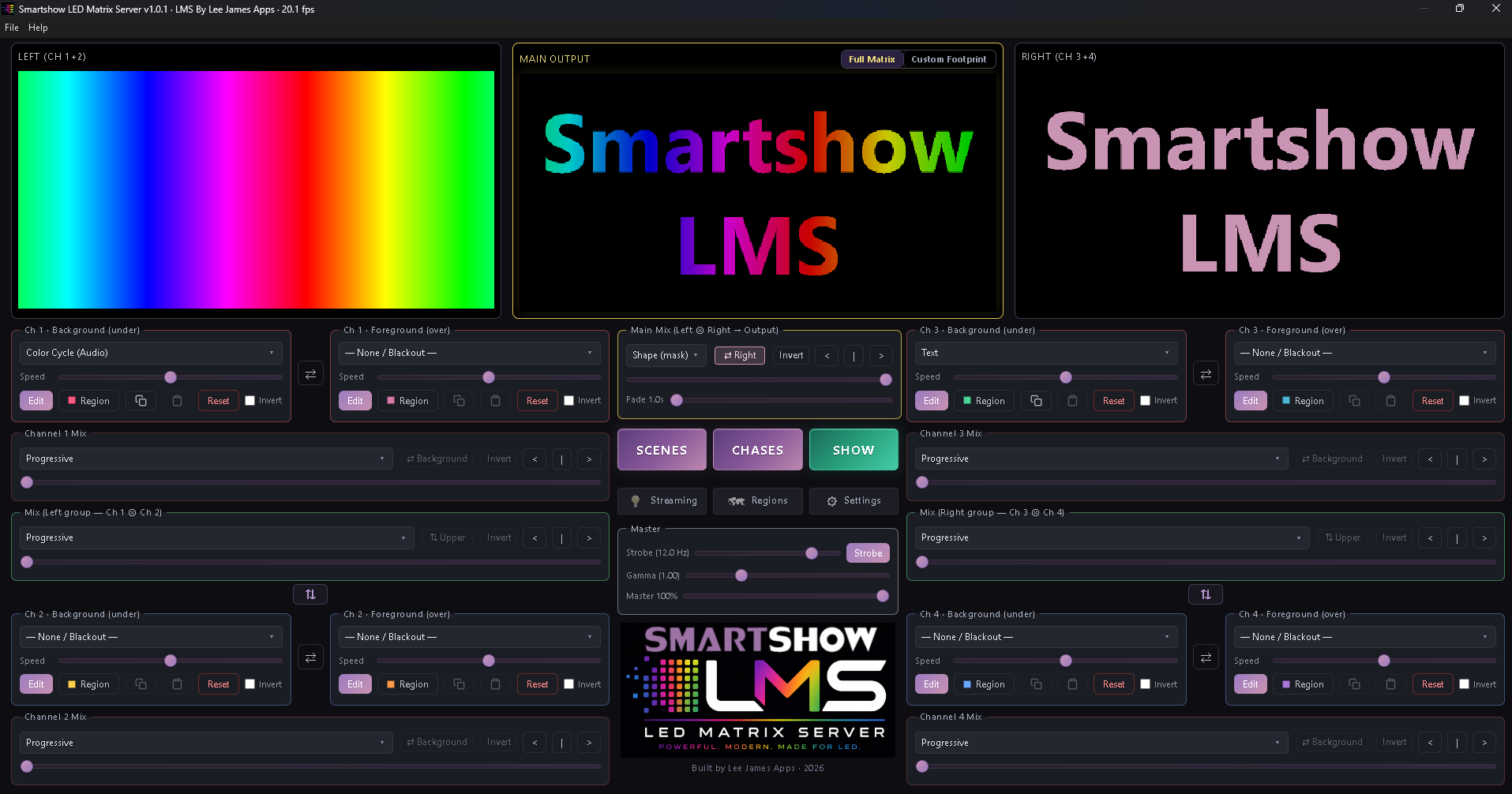
LMS sits upstream of your controllers. You build looks on a virtual matrix —
effects, video, text, images, audio-reactive layers — and it streams the pixels out over
whichever protocol your hardware speaks. Patch once, then run the night from
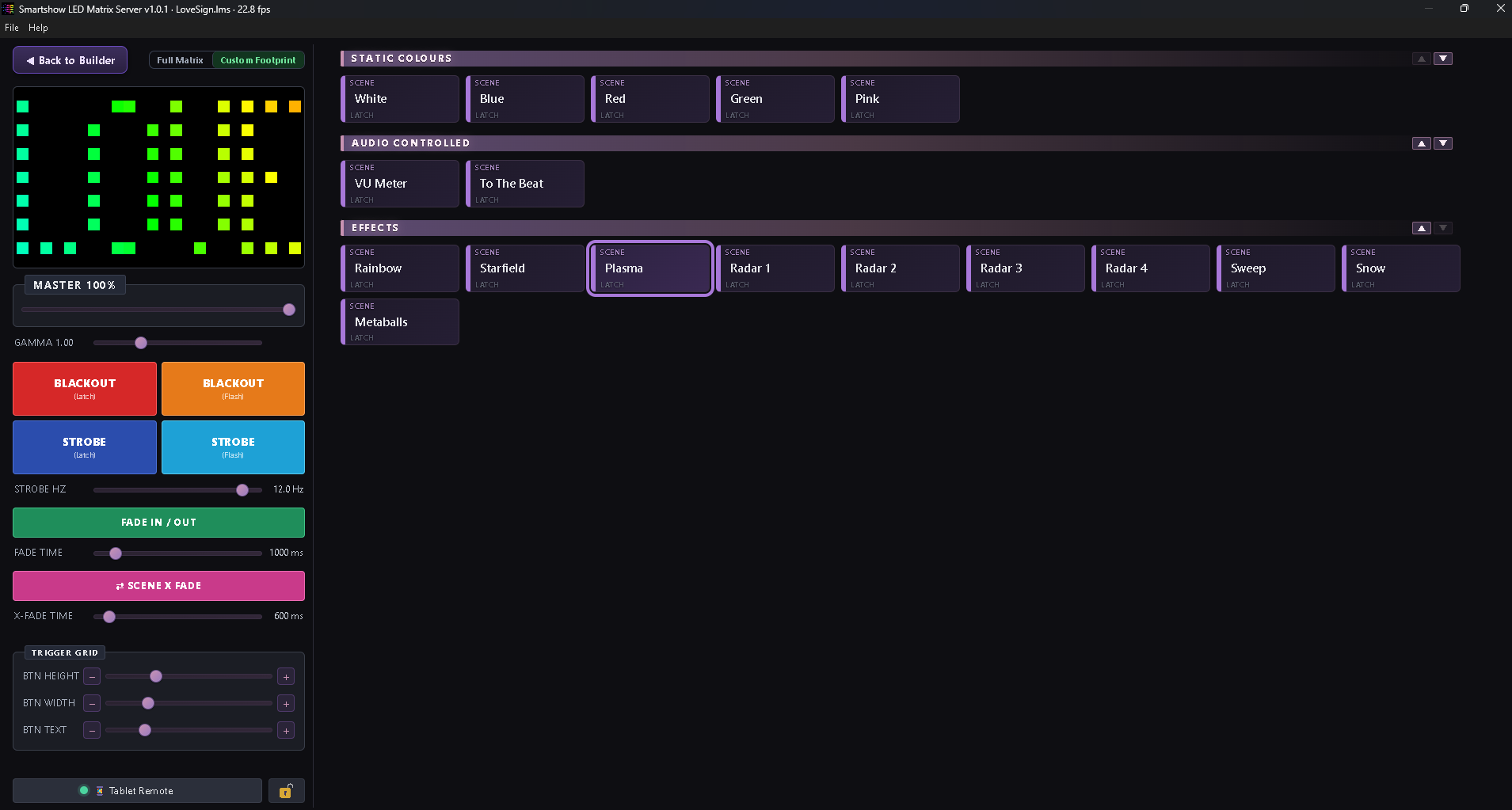
Show Mode: big touch buttons, scenes, chases, blackout, a master fader,
and a tablet in your hand if you want one.
What's new in 1.2.0
A manual lighting desk, Open DMX that actually works, code signing at
last — and one change to how output behaves that is worth two minutes of your time.
🎛 A manual lighting desk
Real DMX faders alongside the pixel engine — a bank of 6, 12, 24 or
32 channels over Serial DMX or Art‑Net, with settable universe, target
IP and start channel. Bump buttons on every channel with an optional timed burst, for
foggers and hazers where you want a two‑second blast and nothing else. Save
looks as scenes, recall them with flash or latch, and build chases with crossfade.
🔗 One press, pixels and lights together
A Show Mode button can now fire a pixel look and a DMX fader look
at the same time. Set the link once and your washes, movers and haze cue with the
wall instead of being chased separately. The Tablet Remote carries the same thing.
⚠ One change to how output works
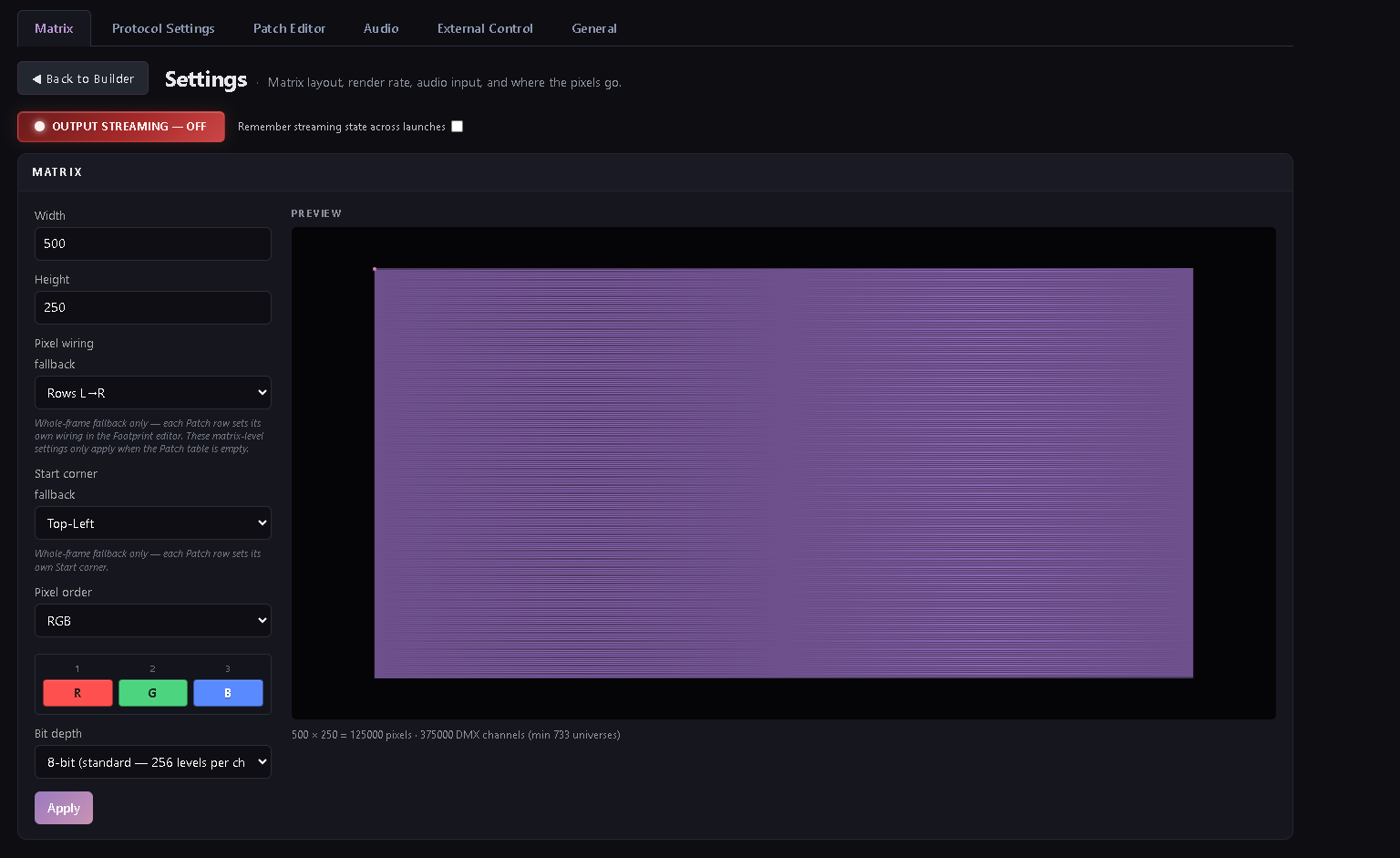
Output now follows a single rule: an empty Patch Editor sends the whole
matrix to everything you have ticked. Any patch rows and the patch decides
— a protocol with no rows of its own sends nothing.
Before, each output only asked whether it had rows. So if you had patched
Art‑Net and also ticked Send to Serial DMX, your dongle was quietly being fed
the entire matrix from channel 1 while the status read “Sending”.
If you were deliberately patching one protocol and whole‑framing another,
add a patch row for the output you want, or clear the patch entirely.
🔌 Open DMX that actually works
A native FTDI driver path for cheap Open DMX adapters — it makes a proper
DMX break that a browser simply cannot. Your dongle also reconnects itself when you
relaunch. If you have been fighting a flaky adapter, set Device type
to “Open DMX — native FTDI driver” and try it again.
🔒 Now code‑signed
Windows builds are digitally signed as Hi‑Lite Entertainment
Limited and timestamped; macOS is signed and notarised. SmartScreen may
still warn for a while — reputation is earned from download numbers, not from
the signature itself — so check the publisher name and click
Run anyway.
💡 Rigs no longer hold their last look
Serial DMX was never included in the blackout sweep, so DMX fixtures held their
last look on Stop and on Quit while the pixel outputs went dark. If
you have ever had lights stay on after closing LMS, that was this, and it is fixed.
🌈 Regions, and readable buttons
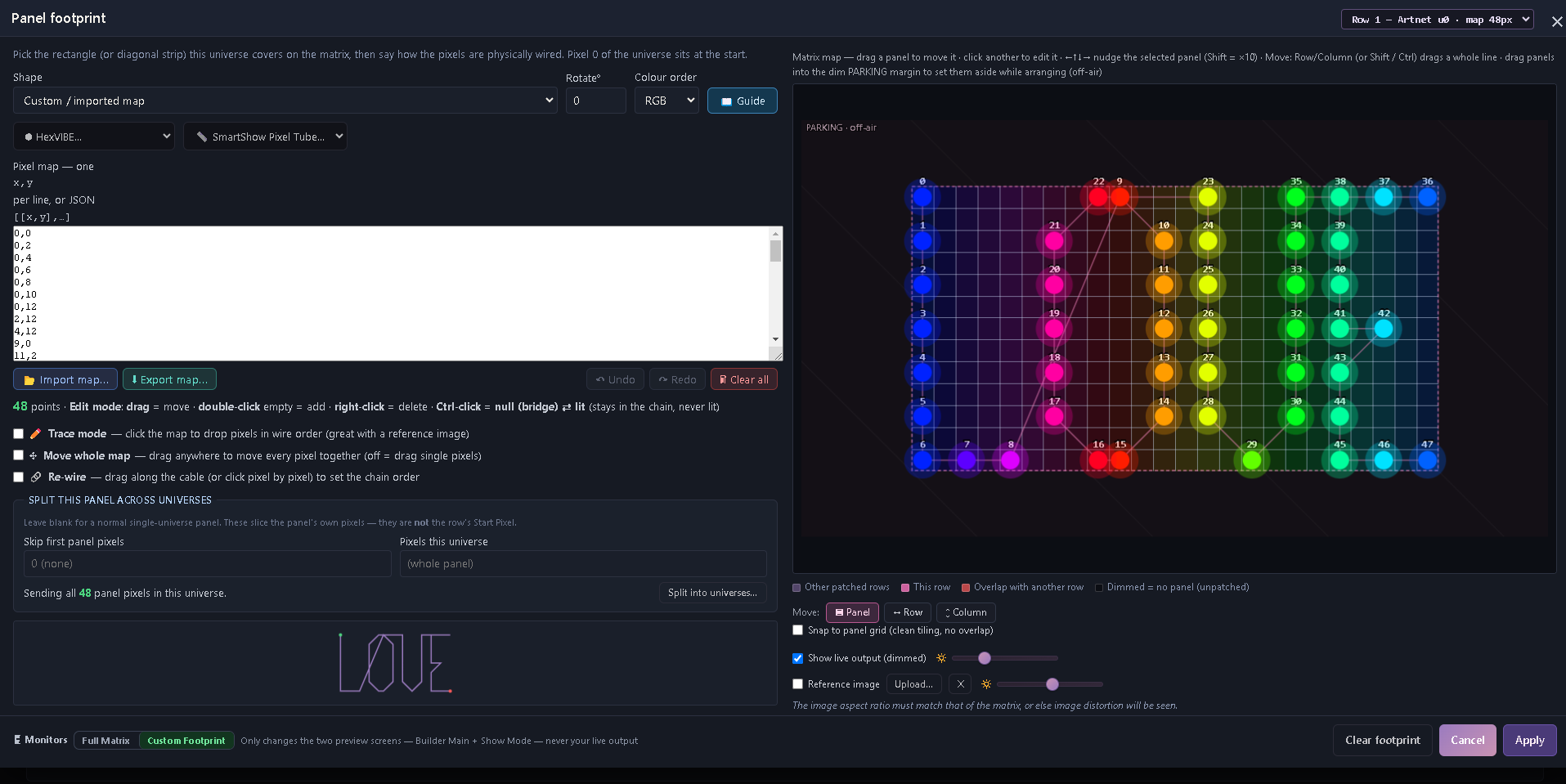
Split the matrix into named areas and drive them independently, with a Region
Manager to organise them. Region buttons now show a padlock for their on/off state
rather than relying on colour alone — which came from a user who could not read
the colour‑only version, and is a better control for everybody.
❤ Free, and a licence to say so
LMS is free and always will be — no account, no licence key, no trial, no
feature gates, including for paid work. Help › About
now carries a proper Licence tab that says exactly that, and there is a Donate item
in the menu bar pointing at Evelina London Children's Hospital.
Plus: “Remember output state” across launches, a proper start‑up
screen, sub‑pixel text scrolling and a pixel‑crisp mode, savable audio
presets with auto gain, WLED discovery over mDNS, patch import/export, and presets that
survive File › New.
How this happened
This project started back in May 2026, to see whether a
Jinx!-faithful matrix server was even possible.
Over the past few months it's gained a great deal of followers and traction, with many
folks testing the betas, reporting their findings on the bug tracker and making solid
feature requests. Every one of you who assisted with this vital intel can consider
yourself a genuine part of this whole pipe dream of mine. We got it there!
Special thanks go to my two main sanity-checking and bug-catching gurus:
Bobby of SmartShow,
my partner in crime through all of this, and Mike of
Mike's LED Shed.
Without the pair of you I'd never have got it this far. Also shouts to Ian Villars of HexVIBE
for leading the way on custom shaders and some other bits, and to Bruce
for his valuable input. But most of all, to all of you who have used, or will use, this
software on your live shows and projects.
It doesn't stop here. Development will continue, and there are some exciting evolutions
coming in the future. For now: use it, enjoy it, and if you haven't already, please
join the
forum. The bug tracker is and always will be there, and in time we'll have a collection
of video tutorials and further documentation to help you get the most from this.
Thank you all so much.
Best,
Lee James
Download
Free. No account, no licence key. Version 1.2.0.
Already a tester? The forum
still has beta builds, release notes and the feedback board.
System requirements
- Windows
- Windows 10 (64-bit, build 1809 or later) or Windows 11. No admin rights needed —
it installs to your user account. ~95 MB download, ~350 MB installed. A portable build is
available if you'd rather not install anything.
- macOS
- macOS 11 Big Sur or later. One universal build for both Intel and Apple silicon.
~196 MB download. Signed and notarised.
- Linux
- AppImage for x86_64 or ARM64, glibc 2.28 or newer — Ubuntu 18.04+, Debian 10+,
Raspberry Pi OS Bookworm and friends. ~140 MB. Nothing installs; make it executable and run it.
- Memory
- 4 GB minimum, 8 GB comfortable. LMS itself sits around 500 MB with a
typical matrix; video playback, large walls and shader work push it higher.
- Processor
- Any 64-bit dual-core or better. 32-bit systems aren't supported. Extra cores mainly help with
video decoding and very large matrices.
- Graphics
- Integrated graphics are fine for most rigs. GLSL and ISF shaders need WebGL 2,
which anything from roughly 2014 onwards has. Driving a wall over HDMI means a spare
display output at the resolution your scaler expects.
- Network
- Only needed for Art-Net, sACN, DDP, TPM2.net and NDI. Wired Ethernet is strongly
recommended — Wi-Fi adds jitter you'll see on the wall. DMX over USB and HDMI output need
no network at all.
- Internet
- Not required. LMS runs entirely offline; show machines with no network work fine.
It only reaches out to check whether a newer version exists, and nothing installs itself.
For reference, the machines running it today are mostly Windows 10 and 11, with macOS on Apple
silicon and Intel, and a handful of Linux boxes including ARM64 boards.
Windows: signed as Hi-Lite Entertainment Limited and timestamped. SmartScreen may still say "Windows protected your PC"
for a while — reputation is earned from download numbers, not from the signature itself — so click More info → Run anyway, checking the publisher name says Hi-Lite Entertainment Limited first. macOS builds are signed and notarised, so they open normally. Linux: chmod +x the AppImage, then run it.